
What Is LibTool?
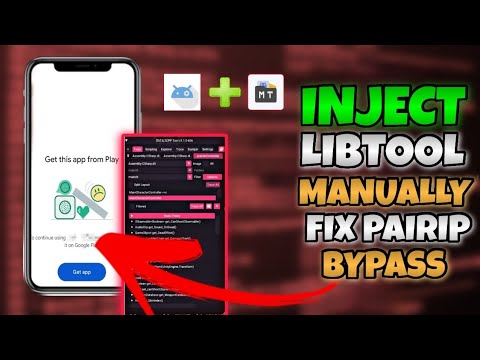
LibTool is a tool designed for working with Android applications built with Unity and IL2CPP. For Android modders and developers, its main advantage is that it can make the native side of an IL2CPP game much easier to explore, helping identify the functions that make up its gameplay logic and understand how those functions are represented inside the compiled application.
This can be particularly useful when developing a mod for a Unity game. Instead of having to guess which native function is responsible for a particular piece of gameplay, you can use IL2CPP analysis to locate relevant functions, inspect their names and offsets, and then determine which ones are worth investigating further.
Why LibTool Is Useful for Modding
When working with an IL2CPP Android game, one of the biggest challenges is finding the correct function to work with. The original game may contain a large number of classes and methods, and the compiled native representation is very different from the C# code used to create the game.
LibTool can simplify this part of the process by allowing the game’s native structures to be explored from within the Android environment. In practical mod-development work, this means you can investigate the functions exposed by the application and use that information to determine which method corresponds to the behavior you are interested in.
For example, if you are investigating a particular gameplay mechanic in a test build, finding the corresponding function name and its native location can provide the starting point for further analysis.
Dumping the Game’s IL2CPP Structures
One of the most useful aspects of LibTool is its ability to work with the structures exposed by an IL2CPP application. Rather than looking at the APK as nothing more than a collection of files, the analysis gives you a much more useful view of the code and functions contained in the game.
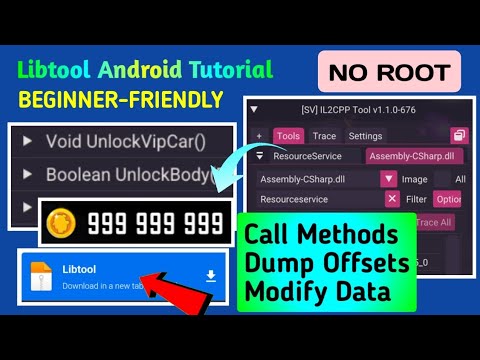
Depending on the application and what is available to the tool, this can give you information about classes, methods, fields, and native function locations. For a modder, this information is particularly valuable because it helps connect something visible in the game with the underlying function responsible for it.
The resulting information can then be used during debugging and reverse-engineering work to identify the correct function name and, where applicable, its native offset.
Finding Function Names and Offsets
Finding a function is often the first real challenge when creating an IL2CPP mod. Once the relevant class or method has been identified, its native representation can provide information that is useful when investigating the game’s behavior.
The function name helps identify what you are looking at, while the offset provides a way to locate the corresponding code within the relevant native library. Together, this information can make subsequent analysis considerably easier than working from an unknown address or blindly testing different locations.
This is especially useful when debugging a personal game build or an authorized test environment, where you can compare the behavior of the original function with your modified implementation.
Live Editing and Real-Time Testing
Another major advantage of working with LibTool is the possibility of testing changes while the application is running. Instead of making a modification, rebuilding the APK, reinstalling it, and starting the game again for every experiment, supported functions can be edited and tested directly during runtime.
This makes experimentation considerably faster. You can change a function or value, return to the game, and immediately observe whether the modification produces the expected result.
For mod development, this is extremely useful when you are not yet sure whether a particular function is the correct one. Rather than spending time preparing a complete permanent modification, you can use runtime testing to establish whether the function behaves as expected.
The process can therefore become iterative:
- Identify a potentially relevant function.
- Examine its name and native location.
- Test the function in the running application.
- Observe the resulting behavior.
- Determine whether it is actually responsible for the feature being investigated.
- Continue testing until the correct function or implementation is identified.
Adding LibTool to an APK
To use LibTool with an Android APK, the native library needs to be included in the application and loaded by its Java or Smali code. This process is intended for APKs you own or are authorized to modify, such as your own Unity builds or dedicated testing applications.
First, decompile the APK and locate the application’s main activity. You then need to identify a method that is executed when the application starts and add the native-library loading instructions to it.
For a library named libTool.so, the corresponding Smali call is:
const-string v0, "Tool" invoke-static {v0}, Ljava/lang/System;->loadLibrary(Ljava/lang/String;)VThe important detail here is that System.loadLibrary() receives Tool, rather than the complete filename. Android resolves this to the native library named libTool.so.
Adding the Native Library
The libTool.so file must then be placed in the appropriate native library directory inside the APK.
For ARM 32-bit applications:
lib/armeabi-v7a/libTool.soFor ARM 64-bit applications:
lib/arm64-v8a/libTool.soIf the APK contains both architectures and you have compatible versions of the library, the corresponding libTool.so files can be placed in both directories.
The architecture is important because a native library compiled for armeabi-v7a cannot simply be used as an arm64-v8a library. The LibTool binary needs to match the ABI of the environment in which it is loaded.
Rebuilding the Modified APK
After adding the Smali instructions and the appropriate native library, the APK can be rebuilt and signed. Modifying the contents of an APK changes its original signature, so the resulting package needs to be signed again before it can be installed as a normal Android application.
Once installed, the application will execute the added System.loadLibrary("Tool") call when it reaches the modified startup code, causing Android to load libTool.so.
Using LibTool to Debug a Mod
Once LibTool is available inside the application, the real advantage for a modder is the ability to investigate the game’s native functions rather than working entirely from guesswork.
Suppose you are developing a modification for an authorized test build and want to understand which function controls a particular gameplay value. You can inspect the available IL2CPP structures, identify candidate methods, and use their names and offsets as a starting point for testing.
If the first candidate does not produce the expected behavior, you can continue investigating other related methods. Runtime testing makes this process much more practical because you can verify your assumptions without necessarily rebuilding the entire application after every experiment.
Why Runtime Testing Matters
Finding a function that appears relevant does not always mean that it is the function you actually need. A method may call another method, modify an intermediate value, or only handle one part of a larger gameplay system.
This is where live testing becomes particularly valuable. Being able to make a controlled change and immediately observe the result gives you a much faster way to determine whether your understanding of the game’s internal logic is correct.
For developers and modders working on their own builds, this can turn IL2CPP analysis from a purely static process into a much more interactive debugging workflow.
LibTool for Unity IL2CPP Mod Development
Unity IL2CPP games can initially seem difficult to modify because the original C# code is transformed into native code during compilation. LibTool provides a bridge between the behavior you see in the game and the native structures behind that behavior.
Its value for modding therefore goes beyond simply loading another library into an APK. The important part is the information you can obtain once the tool is running: functions, classes, methods, fields, and other IL2CPP structures can give you a much clearer picture of how the application is organized.
Combined with runtime testing, this can make it significantly easier to investigate a particular gameplay mechanic, identify the relevant function, determine its native location, and verify whether it behaves as expected when tested in a controlled environment.
Final Thoughts & Download
You can find a detailed video-guide about libTool at sbenny.com which also provides direct access and download to it.
LibTool can be a useful addition to the toolkit of anyone learning Android game modding and Unity IL2CPP analysis. By loading libTool.so into an APK, you can gain access to a much more detailed view of the application’s native structures and use that information when debugging and investigating game functions.
The ability to identify function names and offsets is particularly useful when trying to understand where a specific gameplay behavior is implemented. The possibility of testing changes at runtime adds another advantage, allowing you to quickly determine whether a function is actually relevant before committing to a permanent modification.
For personal projects and authorized test environments, this combination of IL2CPP structure analysis, function discovery, and live experimentation provides a practical way to understand what is happening inside a Unity Android game and develop mods with considerably less guesswork.