
Disclaimer: This article is for informational purposes only. Reverse engineering, dumping, or modifying software you do not own or do not have explicit permission to analyze can violate terms of service and local law. The discussion below is intended to explain a tooling error and how researchers approach legitimate analysis of their own projects, internal builds, or software where they have authorization.
If you work with Unity projects that ship with the IL2CPP backend, you eventually run into a wall of tooling compatibility. One of the most common blockers lately reads like this:
System.NotSupportedException: ERROR: Metadata file supplied is not a supported version [39]
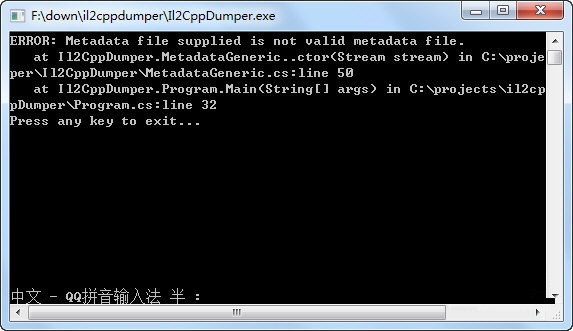
It usually appears when you feed a newer game build into a familiar workflow and it refuses to cooperate. You have your global-metadata.dat and your libil2cpp binary, you point your dumper at both, and it throws this error before it generates anything useful. The short version: the metadata format advanced, your tool did not. The longer version has more moving parts, and understanding them will save you a lot of time.
What il2cppdumper is and why it exists
Unity projects can be built either with the Mono backend or with IL2CPP. With IL2CPP, C# assemblies are converted to C++, compiled to native code, and shipped without the original managed DLLs. Unity keeps a separate metadata file that describes types, methods, fields, and string tables used by the IL2CPP runtime. On Android you will typically see this as assets/bin/Data/Managed/Metadata/global-metadata.dat inside the APK. On iOS it sits inside the app bundle alongside the IL2CPP runtime libraries.
il2cppdumper is a community tool that reads the IL2CPP binary and the global-metadata.dat file, figures out where code registrations and metadata registrations live, and reconstructs type information. In a successful run, it produces outputs like a dump of methods, reconstructed class layouts, and often dummy DLLs that can be opened in .NET decompilers for browsing. For legitimate use cases like auditing your own build, investigating performance characteristics, or troubleshooting symbol mismatches, it has been a handy way to reintroduce visibility that goes missing once you switch away from Mono.
Unity evolves its IL2CPP runtime and the metadata layout over time. That is normal. When that happens, older builds of il2cppdumper and similar tools might not know how to parse the new header or record structures. The result is the error you are seeing: the metadata version in your file is higher than what your tool understands.
What the version 39 error actually means
The global-metadata.dat file starts with a small header that includes a version tag. Tools check that value to pick the correct parsing routine. If a tool does not have a parser for that version, it bails out. Version numbers are internal to Unity’s IL2CPP metadata and are not 1:1 with Unity editor version numbers, but newer editor releases tend to bring newer metadata versions.
When you see not a supported version [39], your metadata was produced by a Unity/IL2CPP toolchain that writes version 39 of the metadata format, and the tool you are using predates that change. Nothing is wrong with your file per se. The problem is simply that your dumper does not include the logic to interpret it yet.
There are other reasons you can get a similar complaint, but this one is almost always a straight version gap. Less common edge cases include damaged metadata files, custom encryption or packing used by the app, or feeding a Mono build to an IL2CPP tool by mistake. It is still worth ruling out those possibilities before you go chasing builds.
First, confirm the basics
Before you hunt for patched tools, make sure the inputs make sense. It sounds obvious, but it avoids false trails:
- Check that the app actually uses IL2CPP. If you see managed DLLs in
Managedthat are not tiny stubs, or you cannot find alibil2cppbinary, it may be a Mono build. - Verify you have the correct pair: the
global-metadata.datfile that ships with the exact build you are analyzing, and the matchinglibil2cpp(for Android that is usuallylib/arm64-v8a/libil2cpp.soorlib/armeabi-v7a/libil2cpp.so). - Extract the APK cleanly. Some modern APKs use split installs, compression, and resource packaging quirks. Use a reliable extractor and confirm file sizes look sane. A metadata file that is suspiciously tiny or zeroed out will not parse, no matter the version support.
- Scan the metadata for obvious encryption signatures. Some publishers encrypt or pack
global-metadata.dat. If the first bytes do not resemble a known IL2CPP header and your tool fails immediately, the issue may not be a version at all.
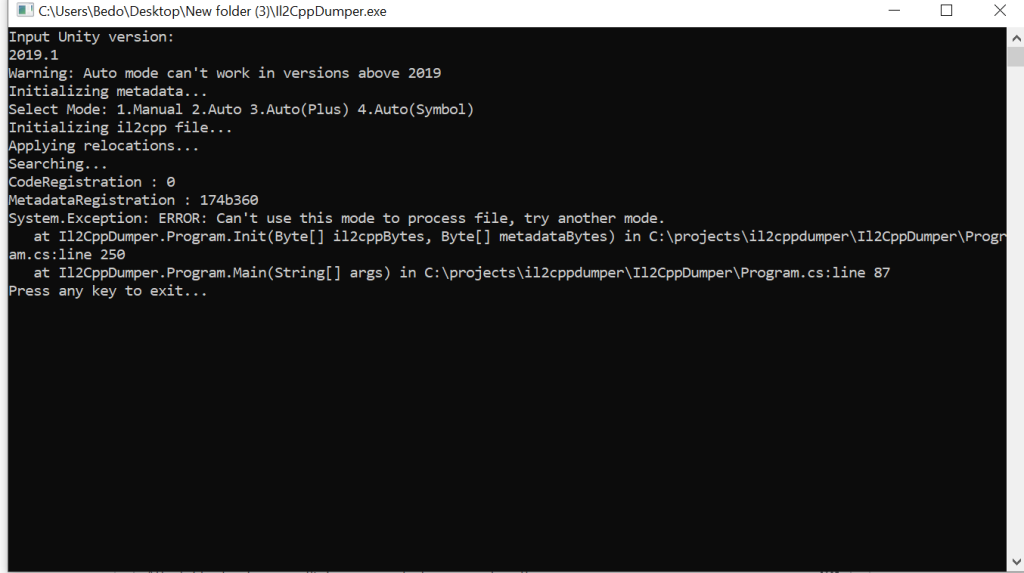
If all of that checks out and you still see the version 39 complaint, you are dealing with a newer metadata layout and need a tool that speaks it.
Why older il2cppdumper builds choke on v39
il2cppdumper is open source and evolves sporadically with community contributions. When Unity tweaks the structures in the metadata file or changes alignment rules, parsers must be updated. Many researchers and engineers stick to a known-good binary for months or years. That is comfortable until you hit a game built with a newer Unity LTS branch that writes a higher metadata version. Then your familiar binary does what it should do: refuse to guess.
The version jump is not catastrophic. It typically means a field was added, header sizes changed, or a record layout moved. But until a maintainer or a fork implements support, parsers cannot safely proceed. That is where updated builds come in.
Using an updated il2cppdumper that supports metadata version 39
Several community forks appear when Unity increments metadata versions. If your workflow depends on il2cppdumper specifically, the most straightforward option is to use a build that advertises metadata v39 support. One such build has been shared on the Sbenny forum and is described as an updated and improved il2cppdumper variant with metadata version 39 compatibility. You can read the thread and download from the source here:
Updated il2cppdumper with metadata version 39 support
The practical flow once you have a v39-capable dumper is the same as always:
- Point the tool at your
global-metadata.dat. - Point it at the correct
libil2cppbinary that shipped with the same app build. Ensure you pick the matching architecture. - Let it auto-detect code and metadata registration where possible. If it falls back to manual mode, you are outside the scope of a simple version gap and into binary analysis territory.
- Inspect the output. You should see reconstructed types, methods, and often dummy assemblies or a JSON dump suitable for browsing.
If the updated build still fails on the same file with the same complaint, consider the possibility that the file is not plain metadata. Some apps use obfuscation or custom loaders that transform or encrypt the metadata at runtime. That is a different problem. A general-purpose dumper that expects a stock global-metadata.dat will not succeed until you undo whatever packing is in play, which may be both complex and legally sensitive.
Alternative tools if il2cppdumper is not enough
il2cppdumper is popular, but it is not the only option. Researchers often keep a small toolkit on hand because support windows and feature sets vary:
- Cpp2IL. This project parses IL2CPP binaries and metadata and attempts to reconstruct a higher level IL that you can browse more like managed code. It tends to add support for new metadata versions relatively quickly. If your goal is type and method browsing rather than faithful dummy DLLs, it is worth a look.
- Il2CppInspector. Another established tool that reads IL2CPP and metadata to produce type information and analysis-friendly outputs. It is useful for cross checking outputs between tools to isolate whether a failure is due to a bad input or a parser gap.
Each tool has different strengths. If you are chasing a particular issue in your own build, switching tools can be faster than waiting on a single project to catch up. If your requirement is il2cppdumper specifically due to scripts or downstream automation, then a v39-capable build is the direct fix for the error in question.
Common reasons the version fix does not work
Even with a v39-capable tool, a dump can still fail for unrelated reasons. The symptoms sometimes look similar, so it helps to separate them:
- Mismatched binary and metadata. If you pull
global-metadata.datfrom one variant andlibil2cppfrom another, the tool might not find the expected registrations and will give up in strange ways. Keep pairs together. - Wrong architecture. Feeding an
arm64metadata to a tool while pointing at anarmeabi-v7alibrary or vice versa can trip heuristics. Match them exactly. - Stripped or relocated symbols. Some builds strip symbols aggressively or use loaders that relocate at runtime. il2cppdumper uses patterns and structures to recover entry points, but aggressive changes may require manual assistance or a runtime capture.
- Encrypted metadata. If
global-metadata.datis encrypted, a static dumper that expects plain text headers will not help until you extract a decrypted view in memory. That is outside the scope of a simple how-to and comes with legal considerations. - Corrupted extraction. APK tools can silently mangle files if you use the wrong flags or encounter unusual compression. Re-extract and verify file sizes and checksums when in doubt.
A practical, cautious workflow
If you are here because your own Unity IL2CPP app started shipping with a newer runtime and your existing pipeline fell over, here is a pragmatic, low-drama approach that avoids guesswork:
- Confirm that the target is IL2CPP and that you have the correct
global-metadata.datand matchinglibil2cppfrom the exact build you want to analyze. - Try your current il2cppdumper. If it throws the version 39 error, stop there. That message is doing you a favor by being explicit.
- Decide whether you truly need il2cppdumper outputs for your task. If your goal is quick browsing and validation, test Cpp2IL or Il2CppInspector. One of them may already support the metadata you have.
- If your downstream automation depends on il2cppdumper output, fetch a v39-capable build. The Sbenny forum thread linked above hosts one such build that community members have pointed to for this specific issue.
- Run the updated dumper in a controlled environment. If it succeeds, integrate it into your pipeline and pin the version so your CI does not drift.
- If it still fails, reassess whether the metadata might be encrypted or the binary uses unusual loading. At that point, a static dumper may not be the right tool, and runtime capture or vendor documentation becomes the path forward.
What to expect from a successful run
If metadata parsing succeeds, the tool should enumerate images, types, and methods. You will usually see:
- A set of reconstructed class definitions with field offsets and method signatures.
- Optional dummy assemblies that map back to the namespaces and types from your original C# code.
- JSON or text dumps that list method tokens, addresses, and metadata indices.
Keep perspective about what these outputs are. IL2CPP does not ship the original IL for your C# code. No dumper can reconstitute source code that is not there. You are getting structure and signatures and sometimes reasonable stubs, not magic restoration of lost logic. For most debugging and analysis tasks, that is the useful part anyway.
Troubleshooting checklist for stubborn cases
When you are still stuck after moving to a v39-aware dumper, work through a short checklist to isolate the bottleneck:
- Validate the metadata header. Open
global-metadata.datin a hex viewer. Verify it is not empty, that it has a plausible header length, and that the version field looks consistent. If you do not know the expected magic or field offsets, compare with a known good metadata file from a sample Unity IL2CPP build you control. - Match architectures. Verify that you are pairing an arm64 metadata file with an arm64 IL2CPP library. Many APKs ship both
armeabi-v7aandarm64-v8avariants. If your device is arm64, the app will load the arm64 library, and that is the one you need to feed the dumper. - Try another tool. If il2cppdumper fails in non-obvious ways even after a version bump, run the same inputs through Cpp2IL or Il2CppInspector. If both fail, suspect your inputs. If one succeeds, you may have hit a parser quirk.
- Consider runtime extraction. Some protections only unpack metadata at runtime. Static analysis will keep failing until you capture the decrypted blob from memory. Whether you should do that is a separate legal and ethical question.
- Re-extract the APK. Use a second tool to extract the APK. Ensure no partial download or decompression error corrupted your files.
About that Sbenny forum build
Community forums often step in with patched binaries when official projects lag behind new metadata versions. The Sbenny thread linked above is an example where users share a build of il2cppdumper that reportedly adds support for metadata version 39 and other improvements. Users in those threads typically post quick success or failure notes with specific games or Unity branches. Reading those can help set your expectations before you run tests yourself.
Two caveats are worth repeating:
- Provenance. Unless you can audit the source, treat any binary as untrusted. Build from source when the author provides it.
- Legitimacy of use. A patched dumper is not a license to analyze apps you do not own. Stick to builds you control or where you have explicit permission to test.
When not to fight the tool
There are situations where forcing a dump is not the right move. If you are a developer trying to introspect your own project to debug an issue, consider whether Unity’s own diagnostics might be faster. Symbols generated during your IL2CPP build, crash logs with function offsets, and Unity’s profiler can give you the context you need without a detour into metadata parsing. Repro builds with logging or development mode toggles can also answer questions that a metadata dump would only hint at.
If you are looking at a third party app with aggressive protections, a failed dump is often a signal to stop. The time cost and the legal risk tend to rise together. Even if a patched dumper handles the baseline metadata version, additional layers like custom loaders and runtime decryption are a different category of work altogether.
Bottom line
The System.NotSupportedException about Metadata file supplied is not a supported version [39] is a compatibility message, not a dead end. Your metadata is newer than your dumper. Updating your tool to a build that understands metadata version 39 resolves the mismatch in the straightforward cases. A community build of il2cppdumper shared on the Sbenny forum has been circulated for exactly this purpose, and alternative tools like Cpp2IL and Il2CppInspector are also viable paths.
Once you sort out the version gap, the usual discipline still applies. Match your files carefully, keep security hygiene tight, and stay on the right side of authorization. If a dump continues to fail even with a v39-capable parser, it is likely not a version problem anymore. At that point, step back and decide whether you need a different approach or whether the task itself is worth pursuing.
FAQ
Does metadata version 39 map to a specific Unity editor version?
Unity’s IL2CPP metadata versioning advances over time, but it does not publicly map 1:1 to editor releases in a way that is guaranteed stable across the years. As a rule of thumb, newer LTS branches write newer metadata. Treat the version you see in the file as the ground truth and let your tools drive the response. In this specific matter, metadata version 39 was introduced in Unity 6.x which would explain why it fails on the older il2cppdumper as it wasn’t updated for years.
Can I safely run third party dumpers on my main machine?
You can, but it is not a great habit. Use a VM or container, restrict network access while testing, and prefer source builds to precompiled binaries when possible. Community tools are incredibly useful, and a few simple precautions reduce your risk.
Will a v39-capable dumper produce full source code?
No. IL2CPP converts your C# to native code. Metadata describes structure, not full logic. Dumpers reconstruct types, method signatures, and layouts. You get navigation and context, not a lossless decompilation of the original C#.
What if my metadata file looks fine but every tool fails?
Suspect encryption or a custom loader. Some apps keep metadata encrypted on disk and only materialize it decrypted in memory at runtime. Static tools that expect a plain global-metadata.dat will not succeed until you obtain a decrypted copy. Whether you should attempt that depends on your authorization and local law.
Is il2cppdumper still the best option?
It is a solid option that many workflows were built around. These days, Cpp2IL and Il2CppInspector are equally credible, and in some scenarios they are the better fit. Use the tool that already supports your metadata and produces the output format you actually need.