
If you are hunting for a used Android phone that still punches far above its age in the camera department, you are not alone. Plenty of people would rather spend a few hundred dollars on a proven shooter than drop four figures on the latest flagship. The trick is knowing which older models still deliver when it comes to photos and video, and what trade-offs you should expect in 2026.
This guide focuses on camera outcomes first. Specs help, but what matters is whether the phone can consistently give you sharp, well-exposed images with natural color, hold focus on moving subjects, and keep video stable without turning into a noise fest after sunset. We picked six older Android phones that are still worth buying for their cameras today. The list includes the required Google Pixel 6, alongside rivals that excel in different ways: long zoom, big-sensor low light, filmmaker controls, or all-around consistency.
Quick take: who should buy an older camera phone?
- You want top-tier photo quality for less money than a new flagship.
- You are fine with shorter remaining software support, and you are comfortable checking a used phone for wear before you buy.
- You shoot a lot of photos, portraits, travel clips, street, or product shots and care more about results than having the newest design.
- You understand 4K and even 8K video can chew through storage and battery, and you will plan for that.
Before we get into the picks, a note on expectations: images from these phones still look great because processing has matured and the hardware was strong to begin with. Where they can lag compared to the very latest devices is autofocus speed in dim light, subject separation for hair and glass, artifact handling in ultrawide lenses, and thermals during long video takes. Keep those limits in mind and you will be pleasantly surprised by what you can get.
Google Pixel 6: still the easiest path to great photos

The Pixel 6 remains one of the most reliable point-and-shoot camera phones you can buy secondhand. It uses a large main sensor with strong stabilization and leans on Google’s processing to do the heavy lifting. In practice, you get punchy but not cartoonish color, excellent HDR that holds skies and faces together, and low-light shots that are far cleaner than you’d expect from a phone at this price. The Pixel look is intact: contrasty, crisp edges, and solid skin tones that avoid the waxy smoothing some manufacturers favor.
If you mostly shoot people, pets, food, city scenes, or quick travel snaps, the Pixel 6 makes it very hard to mess up. Portrait mode is still convincing when there’s enough light, with pleasing falloff and a sensible default focal length. Night Sight brightens without nuking the mood, and Google’s motion algorithms do a good job freezing kids and pets in less-than-perfect lighting.

Video is dependable: 4K with good stabilization and restrained sharpening. It is not a filmmaker’s toy chest, but stabilization keeps handheld walking shots from wobbling, and exposure changes are relatively gentle. You can get clean footage indoors and at dusk as long as you stick with 4K 30 and avoid fast pans in the dark. For social posts, Reels, and short YouTube clips, it works.
Where the Pixel 6 shows its age is flexibility. There is no dedicated telephoto, so distant subjects rely on digital zoom. The ultrawide is fine in daylight but softer at the corners and weaker after dark. Thermal throttling can show up during long, high-res video takes, especially in hot weather, and the modem can add warmth if you are recording while tethering or streaming.
Good for
- One-tap photos that look finished right out of the phone
- Portraits, casual street, everyday family albums
- Clean 4K social video with minimal fuss
Watch out for
- Digital zoom in place of a real telephoto lens
- Thermals during extended 4K recording
- Approaching the end of its promised security update window
Used-buying tips for Pixel 6
- Run a quick camera test in a dim room. Check for focus hunting when tapping between near and far subjects.
- Test stabilization by walking and recording at 4K. A rattly noise when lightly shaking the phone can be normal OIS movement, but jitter in the video is not.
- Check the USB-C port for lint and wear. If you plan to shoot to an external SSD via a hub, a loose port is a headache.
Samsung Galaxy S21 Ultra: the long-zoom classic
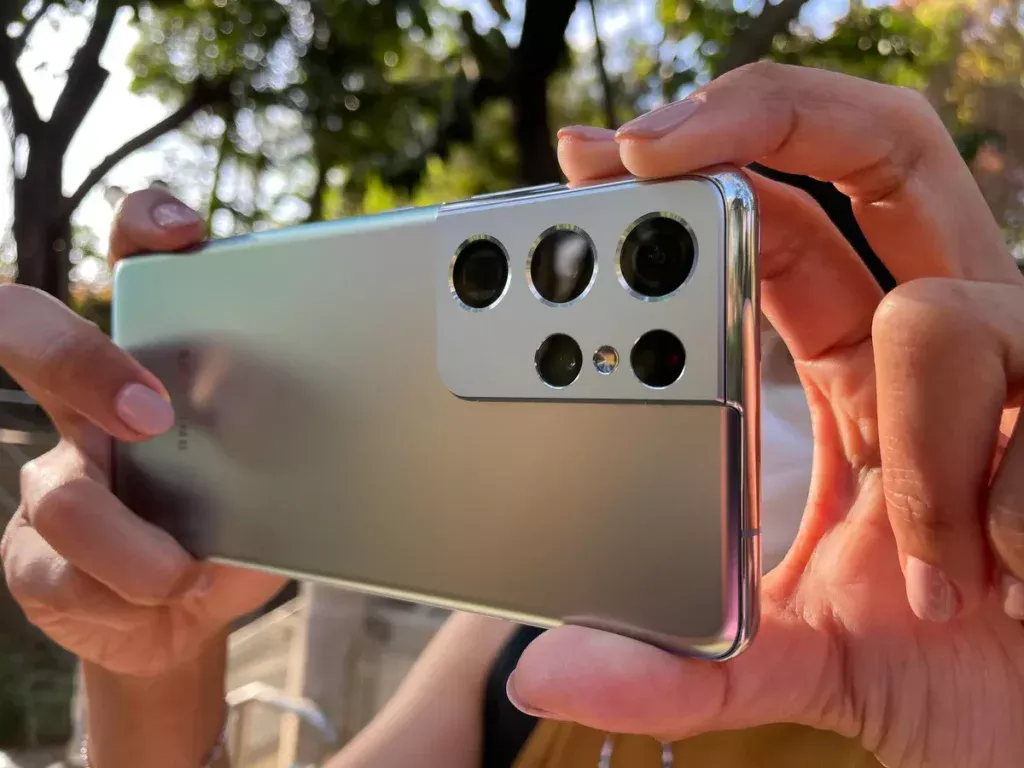
If you want reach, the S21 Ultra remains a sweet spot in the used market. It came with two proper telephoto lenses, including a long periscope, so you get real optical magnification before the software takes over. In daylight, 3x to 10x shots look far cleaner than digitally cropped alternatives, with solid contrast and believable texture on brick, foliage, and signage. That makes it excellent for travel and events where you can’t get close.
Samsung’s processing on the S21 Ultra is bright and contrasty. It can lean into sharper edges and punchier color than Google, which many people actually prefer for landscapes and architecture. The main sensor soaks up light well, and the ultrawide holds detail better than most phones of its era. Low light is good rather than magical, but the phone is smart about stabilization and multi-frame noise reduction. You get workable indoor sports shots if the subject is not moving too fast.
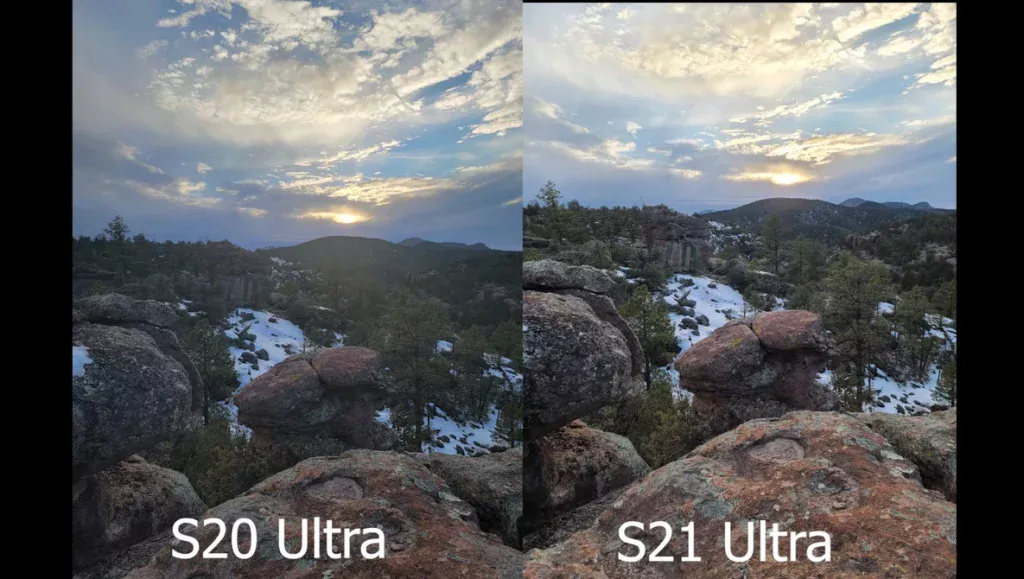
For video, the S21 Ultra shoots 4K on every lens and offers higher-resolution recording for specific scenarios. The practical upside is consistent color and exposure when you switch between main, ultra, and tele during a single clip, which is a big deal if you are filming a performance or game. Super Steady mode helps with walking and running shots, though it crops the frame. Audio pickup is decent, and with Samsung’s capture modes you can frame yourself and a subject simultaneously if you’re vlogging.
Where it trails newer phones is autofocus in very dim rooms and noise control on the ultrawide at night. In some regions, the chipset variant also runs warmer under sustained capture, so bring a power bank for long days.
Good for
- Travel zoom and city photography up to 10x
- Event coverage where you need to switch focal lengths mid-recording
- Punchy look straight from the camera
Watch out for
- No microSD slot despite its reputation as a power user’s phone
- Weight and size; it’s big, which matters for one-handed filming
- Battery age; high-res video drains fast on an older cell
Used-buying tips for S21 Ultra
- Inspect the telephoto periscope lens for haze or dust. A flashlight at a shallow angle can reveal issues.
- Record a 5-minute 4K clip and watch for thermal warnings. Some heat is fine, but shutdowns are not.
- Check the zoom slider in the camera app. It should glide smoothly through 3x, 10x, and beyond without stuttering.
Google Pixel 6 Pro: the Pixel look with true telephoto
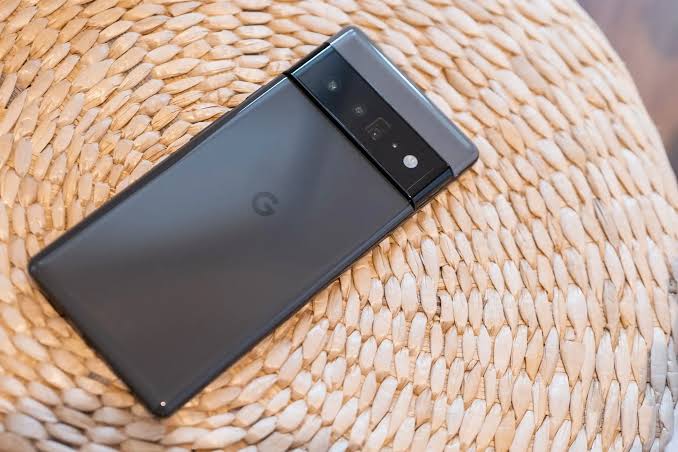
If you like the Pixel 6’s color and low-light demeanor but want real reach, the Pixel 6 Pro remains the better pick. Its dedicated telephoto tightens up portraits and gives you more flexibility for travel and street details without pixel mush. The main sensor is the same family as the Pixel 6, so you keep the steady, well-exposed look that makes Pixel cameras so easy to recommend.
Where the 6 Pro steps up is portraiture and distant subjects. Head-and-shoulders shots from a little farther back look more natural, with less facial distortion. Street signs, architectural flourishes, and candid moments across the courtyard come out cleaner than the smaller Pixel’s digital zoom can manage. Google’s processing stitches detail convincingly across the three focal lengths, and Real Tone continues to do good work with skin.

Video mirrors the standard Pixel 6 experience with slightly better flexibility. Stabilization is strong, and 4K recording is usable in most light if you avoid rapid pans at night. You can see the benefit of the tele for interviews or music performances where you want a tight shot without standing in someone’s way.
Keep in mind the 6 Pro is a big phone with curved glass and is more susceptible to edge reflections in tough light. Thermals are still something to watch on long takes or sunny days. If you mostly shoot 1x and 0.7x, the standard Pixel 6 will save money and battery; if you love portraits and detail work, the 6 Pro earns its spot.
Good for
- Portraits with flattering perspective
- Low-light handheld photography with minimal editing
- Clean telephoto shots for travel and concerts
Watch out for
- Edges can pick up lens flare more easily on curved glass
- Heavier and taller than the standard Pixel 6
- Similar thermal behavior to Pixel 6 during extended 4K capture
Used-buying tips for Pixel 6 Pro
- Check the telephoto focus by shooting text or a textured object at room distance. It should snap to focus quickly.
- Look closely for micro-scratches on the curved edges, which can cause light streaks in night shots.
- Test Portrait mode outdoors and indoors; make sure edge detection is not overly aggressive around hair and glasses.
Samsung Galaxy S22 Ultra: stabilized, flexible, and still a workhorse
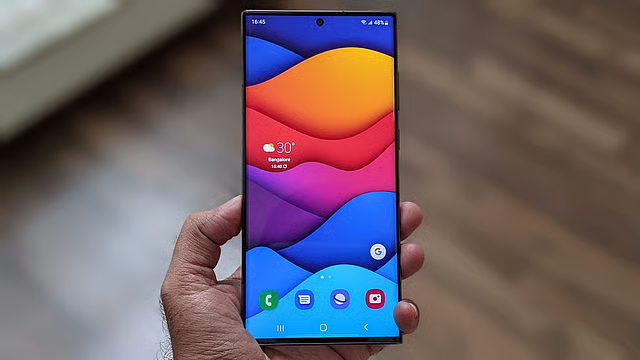
The S22 Ultra refines what the S21 Ultra started. It keeps the practical multi-lens setup and tuning that many creators appreciate, and it steadies video a bit better out of the box. For people who want to shoot a school play from the back, film a street performer, capture wildlife in a park, or assemble a vacation highlight reel without lugging a camera bag, it’s a dependable used buy.
Daylight photography is vibrant and clean across focal lengths, with better edge behavior on the ultrawide than many contemporaries. Night shots are brighter and less noisy than the S21 Ultra in tricky mixed light, though still not as moody or restrained as a Pixel. Portraits benefit from improved subject detection and less fringing around hair compared to older Samsungs.

Video is where this model earns its keep. Stabilization is confident, the lens-switching is smooth, and rolling shutter is managed as long as you avoid whip pans. You can shoot high-resolution clips for detailed scenes and stick to 4K for everything else. Microphones do well in windy city environments if you keep a steady grip, and Samsung’s camera app remains feature-rich without burying the basics.
The known trade-offs are size, the lack of expandable storage, and potential thermal build-up on very long takes in warm weather, particularly if you use the screen at max brightness and jump between lenses often.
Good for
- All-around travel and family video with smooth stabilization
- Clean daytime zoom in the 3x to 10x range
- People who like vivid color and strong contrast
Watch out for
- No microSD, so plan for 256 GB or more if you record a lot
- Weight and balance with a case can make long handheld sessions tiring
- Battery health on used units if you record frequently at 4K
Used-buying tips for S22 Ultra
- Verify stabilization by filming a short walking clip in standard and enhanced stabilization modes.
- Check the long zoom for focusing reliability at dusk. It should not pulse or hunt repeatedly.
- Record a few minutes of video while switching lenses to ensure smooth transitions without exposure jumps.
Xiaomi Mi 11 Ultra: big sensor drama and clever tricks
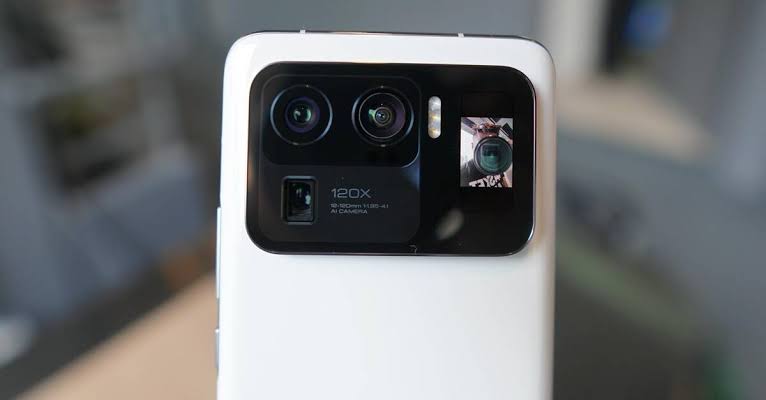
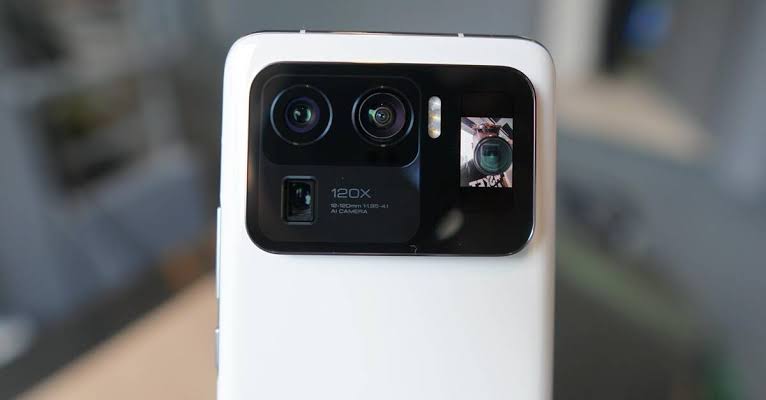
The Mi 11 Ultra is an enthusiast favorite because it packed a huge main sensor and a serious telephoto into a body that treated photography like the main event. That big sensor gives daylight images a more “camera” feel than most phones of its era, with convincing micro-contrast and less aggressive sharpening. In low light, the larger pixels help hold detail without turning faces into watercolor. Colors lean natural rather than showy, and white balance is less prone to swings between warm and cool across shots.
Its ultrawide is genuinely wide and sharp, so architecture and landscapes look tidy instead of smeared at the edges. The telephoto is a proper periscope unit that stays useful beyond casual reach, especially in daylight. One of the clever touches is the rear display near the camera bump, which lets you frame selfies using the main sensor. If you care about self-portraits with real depth and dynamic range, this matters more than it sounds.
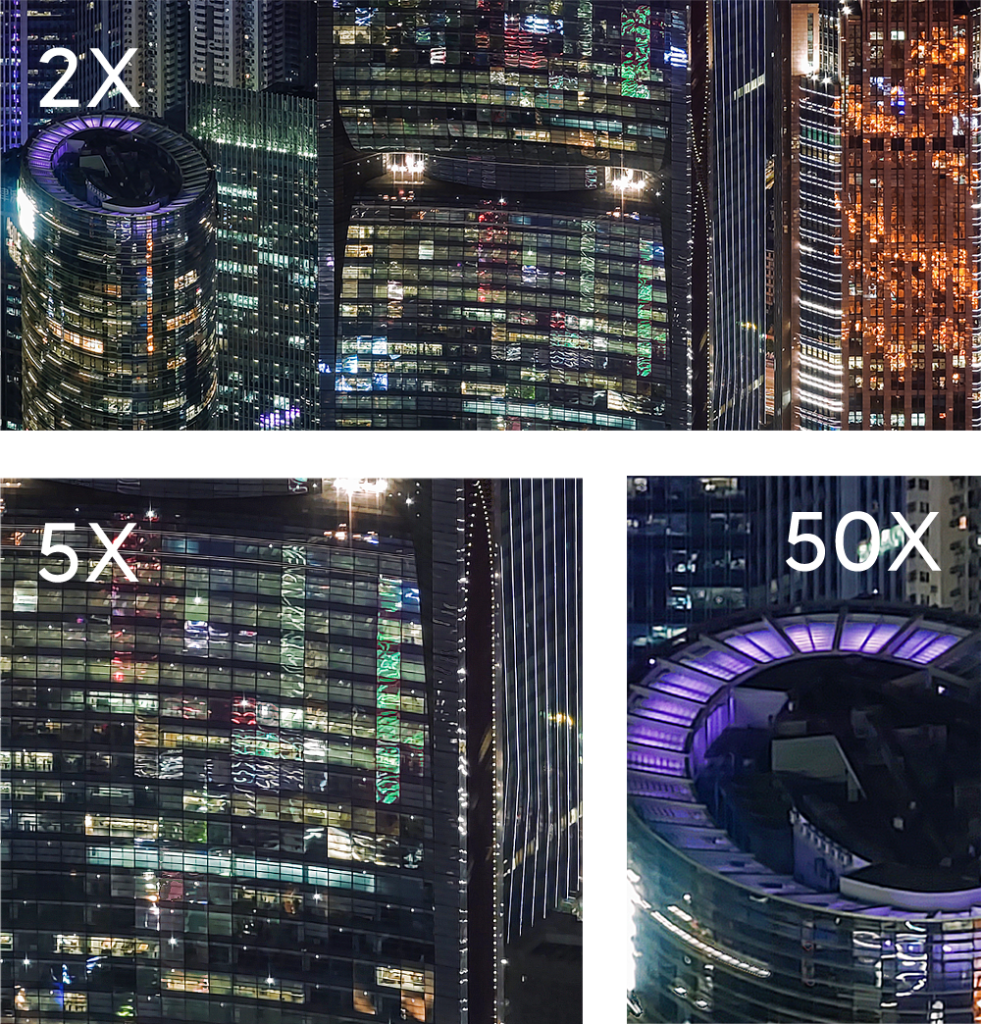
Video is confident in daylight and respectable indoors. Stabilization is effective but does not iron out every bob like some competitors. You can capture high-resolution footage if you plan to crop in post, though file sizes climb quickly. Color across lenses remains consistent enough to edit clips together without obvious seams.
The drawbacks are predictable: availability varies by region, software updates are not as long as the biggest brands, and thermal behavior depends on your specific unit’s condition. If you can find a well-cared-for model, it is still one of the few older Android phones that can deliver a more “big sensor” look in daylight without heavy-handed processing.
Good for
- Daylight photography with natural color and texture
- Ultrawide architecture shots that keep corners in check
- Rear-camera selfies with real dynamic range
Watch out for
- Regional variants with different network support
- Shorter official software support than Google or Samsung
- Heat build-up during long, high-res recording sessions
Used-buying tips for Mi 11 Ultra
- Inspect the large camera glass for fine cracks around the edges; even hairline damage can scatter light at night.
- Test the rear display and make sure touch works if your unit supports it.
- Record in a dim room to check for focus consistency and stabilization wobble on the tele lens.
Sony Xperia 1 IV: for people who actually like to shoot
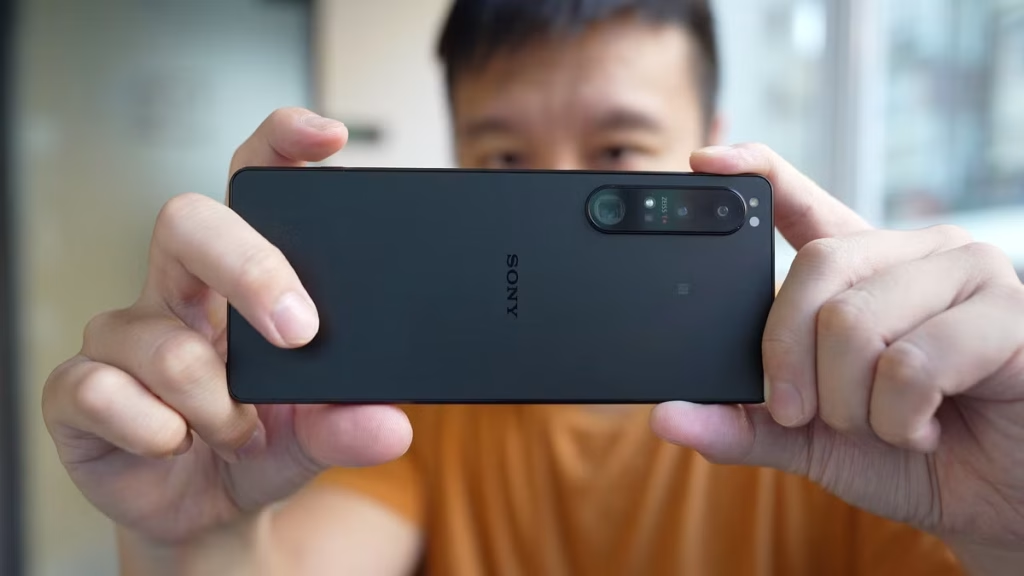
Most phones fight to make everything automatic. The Xperia 1 IV stands out because Sony leaned into camera culture. You get dedicated photo and video apps that borrow interface ideas from the company’s Alpha line, and you can pull manual focus, adjust shutter speed and ISO, monitor levels, and set white balance targets without feeling like you are navigating a toy UI. If you are the person friends ask to film the performance or take the group shot, this approach makes sense.
Sony’s color is restrained, with a focus on dynamic range and less sharpening. Skin tones look lived-in rather than airbrushed. The phone’s party trick is its telephoto with true optical zoom across a range rather than just two fixed steps. That means you can compose more precisely and avoid jumps in perspective that call attention to the lens.

Video tools are the reason to buy this phone. You can record high-quality 4K with fast frame-rate options, set focus points and transition speeds, and use the on-screen exposure tools you would expect from a dedicated camera. The microphones do an honest job in controlled environments, and Sony’s flat color profiles give you room to grade if you like to edit.
The flip side is that auto everything is not as aggressively tuned to pop as Google or Samsung. If you want one-tap social brightening, this is not the best fit. Low light is solid but the phone tries to keep a natural noise profile rather than scrub it into plastic. The autofocus system is quick and sticky when there’s decent light but can hunt with challenging backlight if you leave everything on auto. And unlike the Samsungs and Pixels on this list, the overall camera experience rewards a bit of know-how.
Good for
- People who want manual control and a camera-first interface
- Cinematic 4K projects with focus pulls and consistent color
- Shooters who appreciate less processed, more gradeable footage
Watch out for
- Out-of-box results can look flatter than Samsung or Google
- Thermals during extended 4K 120 fps work in warm conditions
- Software support and accessory ecosystem are not as broad
Used-buying tips for Xperia 1 IV
- Confirm the microSD slot works if expandable storage is part of your plan for 4K projects.
- Open Sony’s pro video apps and test manual controls, zebras, and focus pulls to ensure there are no touch or software glitches.
- Record a continuous 10-minute clip at a high frame rate and watch for warnings or throttling.
How these older cameras actually compare
All six phones deliver high-quality photos and video, but they do it differently:
- Pixels prioritize believable skin tones, balanced HDR, and low-light stability. If you want photos that look “done” with minimal tinkering, the Pixel 6 and 6 Pro are still hard to beat. The Pro adds a true telephoto that matters if you like portraits or details at a distance.
- Samsung’s S21 Ultra and S22 Ultra win on flexibility. You get consistent results as you switch lenses, reliable stabilization, and zoom that actually holds up beyond a token crop. Their look is brighter and more contrast-heavy, which suits travel and sports.
- The Mi 11 Ultra is about that large-sensor feel and a wide, sharp ultrawide. It’s the pick for people who care about texture and accurate color more than software magic. The rear screen selfie trick is not a gimmick if you shoot people often.
- Sony’s Xperia 1 IV is a creator’s phone. It gives you tools and a flexible tele zoom, then stays out of the way. It’s less of a point-and-shoot crowd-pleaser and more of a pocket camera you drive yourself.
In low light, the Pixels and the Mi 11 Ultra typically give the most natural results without strange halos or oversaturated shadows. Samsung’s night tuning is brighter and showier, which many people prefer if they are posting directly to social feeds. For video, Samsung’s stabilization and lens-to-lens consistency are easy to work with, while Sony’s manual tools are powerful if you know how to use them. The Pixels deliver stable, well-exposed clips without a lot of settings work, as long as you respect their thermal limits.
Is a newer mid-range phone better than these used flagships?
Sometimes yes, sometimes no. New mid-range phones can have fresher batteries, newer modems, and long software support. But when it comes to cameras, the hardware on older flagships still matters. Bigger sensors, proper telephoto lenses, and more robust stabilization hardware are expensive, and you will usually find them on last-gen flagships rather than current mid-range models. Processing has improved across the board, yet physics still helps: a larger sensor and better optics make a difference when light gets scarce or when you need real optical reach.
If you want a safer buy with more years of updates and you mostly shoot 1x and 0.7x in daylight, a brand-new mid-ranger can be perfectly fine. If you care about portraits that look like they came from a real camera, zoom beyond 3x, or steady 4K clips that do not wobble when you walk, these older flagships still earn their keep.
Storage, battery, and other practicalities that affect camera use
4K and high frame-rate recording eat space. None of the Pixels or Samsungs here offer microSD. If you plan to film a lot, prioritize 256 GB or more. The Xperia 1 IV does support microSD, which is a genuine advantage if you intend to shoot longer projects. For stills, 128 GB is fine; for video, it fills up faster than you think.
Batteries age. Expect shorter runtime on any of these used phones compared to when they were new, especially during video. If you buy locally, ask to run a 10-minute 4K test and watch the battery percentage. A drop is normal; a cliff is not. Cases can trap heat during recording, so consider a thinner case or remove it for long takes.
Focus and stabilization wear matter more than people realize. OIS modules can take a beating. Test by gently shaking the phone next to your ear. A faint rattle is normal, but visible jitter in the preview is not. Point at a high-contrast subject and half-tap repeatedly to see if the focus locks without pulsing. On used units, dust in the lens stack can show up as soft haze against bright lights; check for it with a flashlight sweep.
Buying used: a quick camera-focused checklist
- Lens condition: shine a light across each lens. Look for scratches, chips, or haze under the glass. Edge micro-scratches can cause streaks in night scenes.
- Focus test: shoot a bookshelf or textured fabric at different distances. Tap to focus each time and review at full zoom for misses.
- Stabilization test: record yourself walking both with standard and enhanced stabilization modes. Preview should be steady with no “jello” wobble.
- Night sample: step into a dim hallway and take a handheld shot. Watch for extreme softness or weird banding.
- Audio: record a voice memo within a few feet of moderate background noise to catch mic issues.
- Thermals: five minutes of 4K capture should not trigger warnings under normal indoor temperatures.
- Storage and ports: confirm fast file transfers to a computer and that the USB-C port maintains connection if you bump the cable.
Tips to get the most out of these cameras in 2026
- Lock exposure when needed: on high-contrast scenes, tap and hold to lock AE/AF so the phone does not chase brightness mid-shot.
- Use the right focal length: avoid digital zoom on phones without telephoto lenses. Move closer or crop later from the main sensor.
- Mind your shutter: in dim light, keep your elbows tucked and exhale gently before tapping the shutter to reduce micro-blur.
- Stabilize video: for longer clips, lean against a wall or use a small grip. You will get smoother results than relying purely on software stabilization.
- Turn off aggressive beauty filters: check that skin smoothing is disabled if you want natural portraits.
- Shoot flat when you plan to edit: on Sony, pick a flatter profile; on Samsung, dial down saturation/contrast in the camera app if available.
- Clean lenses often: fabric lint and fingerprints are responsible for more “fuzzy” photos than any spec sheet limitation.
Which one should you buy?
If you want the easiest path to consistent photos with minimal fuss, get the Google Pixel 6. If you want those results plus a real telephoto for portraits and travel details, the Pixel 6 Pro is worth the bump. If zoom flexibility and smooth multi-lens video are your priority, the Samsung Galaxy S22 Ultra is the better all-rounder, and the S21 Ultra is still excellent if you find it at the right price. If you crave a large-sensor look and a sharp ultrawide, the Xiaomi Mi 11 Ultra is a standout used find. And if you like manual control and plan to treat your phone like a tiny cinema camera, the Sony Xperia 1 IV is the most creator-friendly option here.
Any of these six will still deliver the kind of photos and video that make you forget you are shooting on an older phone. Pick the one that fits how you actually shoot, check the unit carefully, and you will be set for another couple of years of strong images without paying new-flagship money.